A simple and nice plugin to get auto country flag from user ip address on gravity form phone field. If the installation is okay, go to gravity forms dashboard. Add a phone field on your form. Open phone field and you will see to enable smart phone field checkbox.
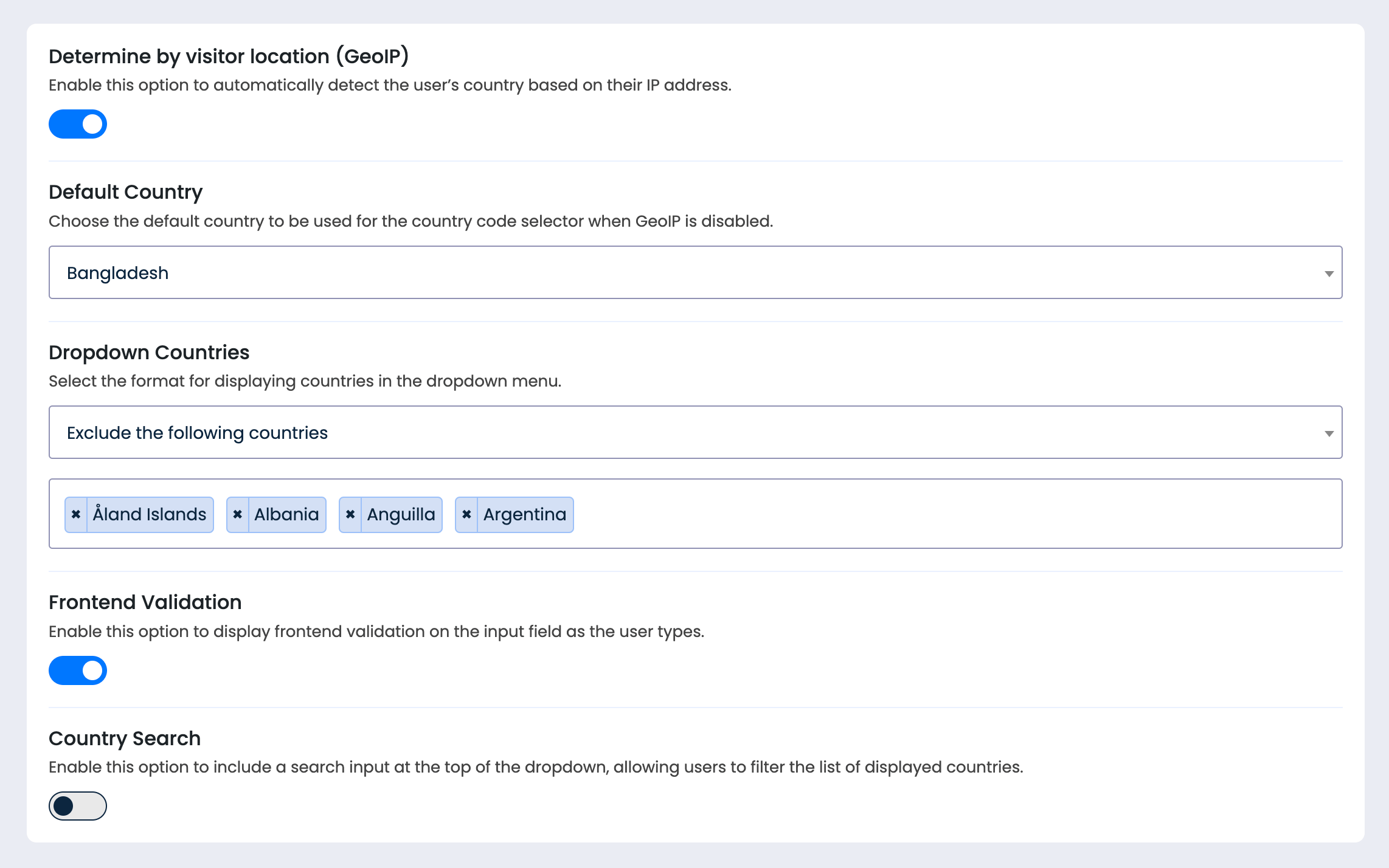
Smart Phone field verifies the validity of the phone number, activating when the user finishes typing or exits the phone field. It displays a message/icon when validation is triggered. However, it can be modified through the form settings.
Enabling the GeoIP option will automatically detect the country code based on the visitor’s location. However, it can be modified through the form settings.
An option is available to add a search input at the top of the dropdown, allowing users to filter the list of displayed countries.
Smart phone field simplifies phone number entry by adding a dropdown with country codes and integrated flags at the start of the field. Users can click the dropdown to select their country.
There are three options available: Include all countries, Exclude the following countries, and Only include the following countries.
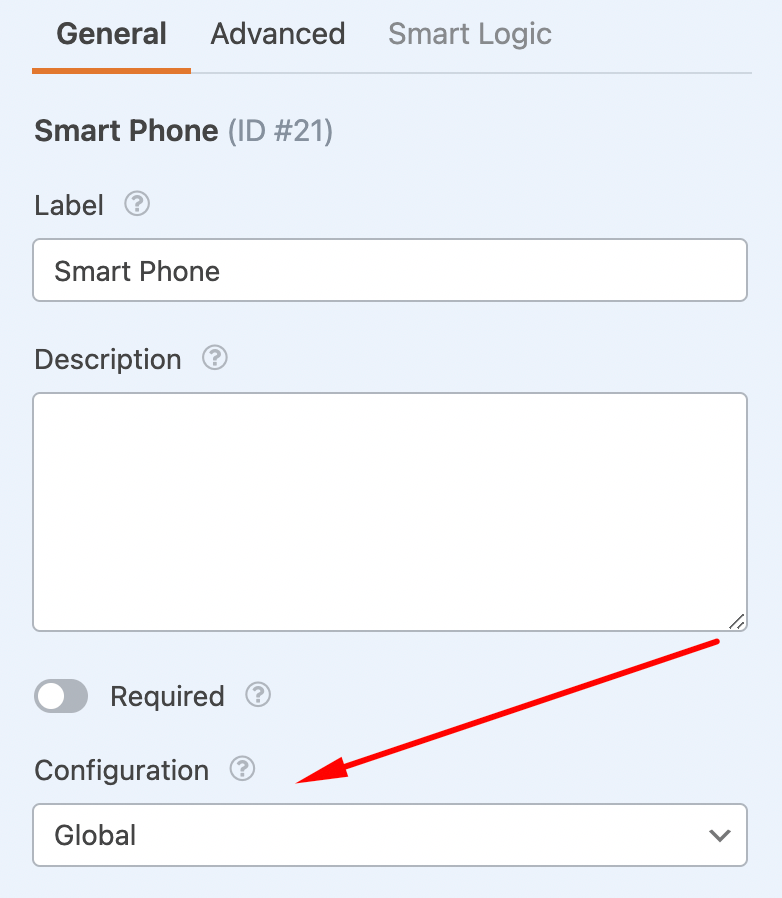
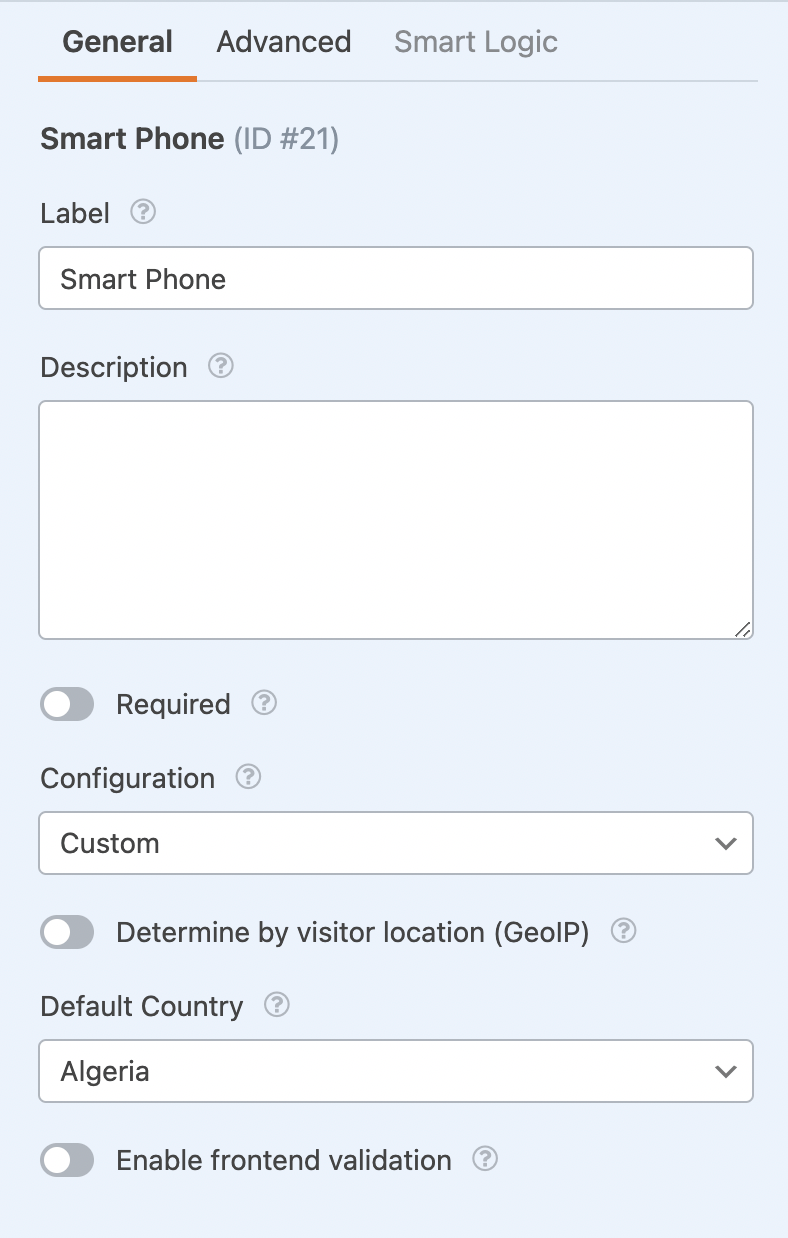
Navigate to the WPForms editor panel, where you’ll find the smart phone field under the Standard Fields tab. Click on the smartphone field to access its configuration options. By default, global settings will be applied, but you can customize them by selecting the custom option. This allows you to modify settings such as the default country, GeoIP, and frontend validation.